Your Tasks at a Glance
See everything on your plate with a single command
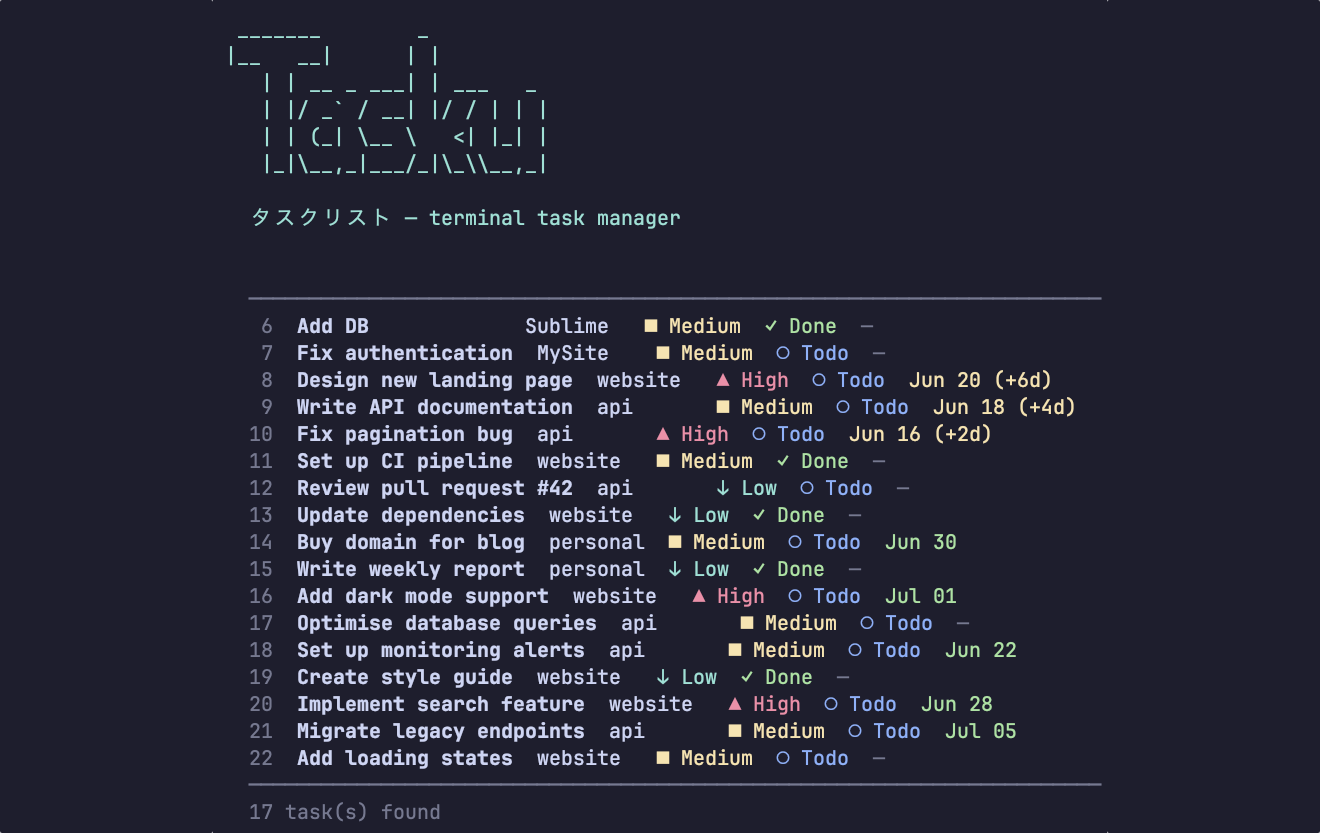
See everything on your plate with a single command
Add, list, show, edit, and delete tasks. Mark them done, set due dates, assign priority levels, and track tags — all from the command line.
Group tasks into projects for big initiatives and use categories for cross-cutting concerns like "admin" or "bug". Filter and view by project or category in one command.
Run tasku stats to see total task counts, overdue items, projects tracked, and breakdowns by status and priority. A quick pulse-check on your productivity.
Tag tasks with keywords, filter by project, category, status, priority, or tags. Use --overdue to find what's late and sort by name, due date, or priority.
Most task management apps are heavy — they run in a browser, require accounts, push notifications, and try to pull you into yet another dashboard. Tasku is the opposite. It's a single Ruby gem that stores everything in a local SQLite database. Your data stays on your machine, and you interact with it entirely through the command line.
Tasku is built for developers who live in the terminal. Create a task with tasku add, view your full list with tasku list, and mark it done when you're finished. Organise related work into projects, tag tasks across projects with categories, and set priorities so the important stuff rises to the top. The tasku stats command gives you a quick summary of your task landscape — total tasks, overdue items, projects, and breakdowns by status and priority.
Because Tasku uses SQLite, your data is portable, queryable, and completely under your control. Back it up with the rest of your dotfiles, sync it however you like, or query it directly with any SQLite tool. No vendor lock-in, no API rate limits, no subscription fees — just straightforward task management where you're already typing.
gem install tasku
gem install tasku and start using it immediately — no accounts, no API keys, no subscriptions.~/.tasku/tasks.db. Your data never leaves your machine unless you choose to sync or back it up yourself.tasku add --name "Write docs" --project website to assign a task to a project. You can list all tasks in a project with tasku list --project website and see all your projects with tasku projects. Categories work the same way with --category and tasku categories.tasku list supports filtering by --status, --priority, --project, --category, and --tags. Use --overdue to find late tasks, --sort to order by name, priority, due date, or status, and --order asc|desc for direction.tasku stats shows your total task count, overdue items, projects tracked, and a breakdown by status and priority. It's a quick pulse-check on your productivity without leaving the terminal.sqlite3 ~/.tasku/tasks.db "SELECT * FROM tasks;". The database file is also easy to back up, sync, or commit alongside your dotfiles.gem install tasku — no configuration files or setup required.gem install tasku.Install Tasku and create your first task in seconds.
gem install tasku