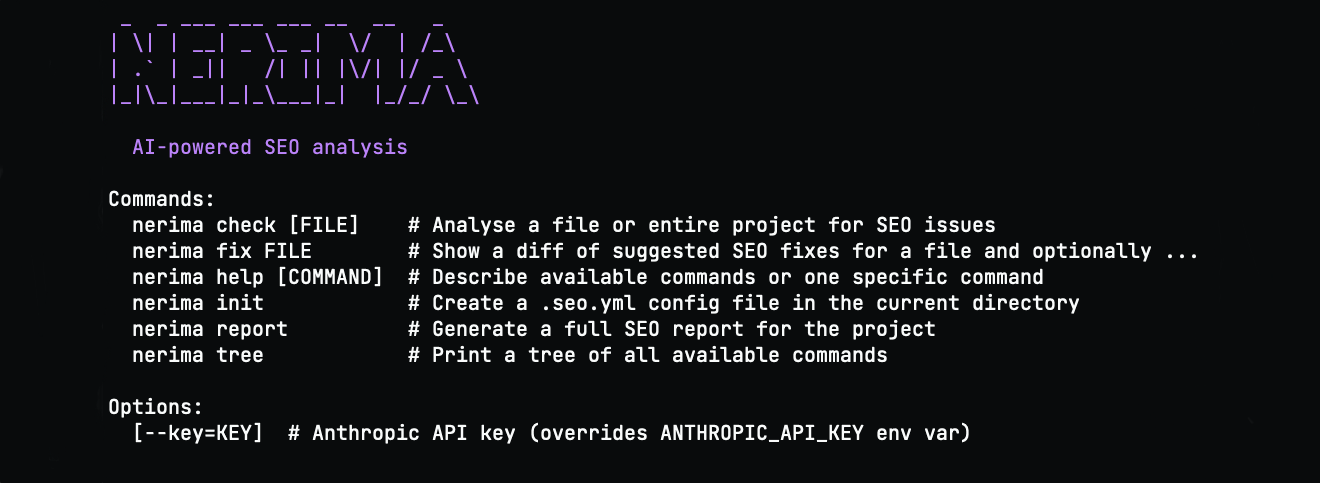
Nerima scans configured templates for on-page SEO issues. Run nerima check to review results and nerima fix to inspect proposed changes before applying them.
gem install nerima
nerima check
Install Nerima with gem install nerima, then run nerima check to scan the template files selected in .seo.yml.
Nerima checks page titles and descriptions, heading structure, image alt text, canonical tags, Open Graph metadata and structured data in scanned templates.
| Check | What Nerima reviews |
|---|---|
| Metadata | Titles, descriptions, canonical tags and Open Graph metadata |
| Page structure | Headings and image alt text |
| Structured data | Schema markup in your templates |
Nerima uses your configured AI provider to generate context-aware suggestions. Its AI Overview risk check flags content for review.
Run nerima fix to see a diff of proposed SEO changes. Review the diff and confirm before applying it.
Nerima supports these template formats:
Use .seo.yml to configure which files Nerima scans.
Run nerima check before a deploy or in your CI pipeline. Use nerima fix to review suggested changes to a file.
Nerima reads source templates directly, so you can check and update SEO without switching to a browser dashboard.
gem install nerima
Yes. Nerima is free and open source. AI checks use your chosen provider; Ollama works locally without an API key.
Nerima supports HTML, ERB, Haml, Slim, Liquid, Nunjucks, Jinja2, Twig and Blade. Configure the files to scan in .seo.yml.
Nerima supports Anthropic, OpenAI, Google Gemini and Ollama. Ollama can run locally.
nerima fix do?It shows a diff of suggested SEO changes. Your original file changes only after you review and confirm them.
Yes. Export reports as HTML or PDF with nerima report --format html --output seo-report.html or nerima report --format pdf --output seo-report.pdf.
It flags content Nerima identifies as potentially at risk of being summarized by Google AI Overviews, so you can review it for added detail or unique value.
Share this page
Install Nerima and run your first SEO check in under a minute.
gem install nerima