Task Management Software for Modern Workflows
October 15, 2026
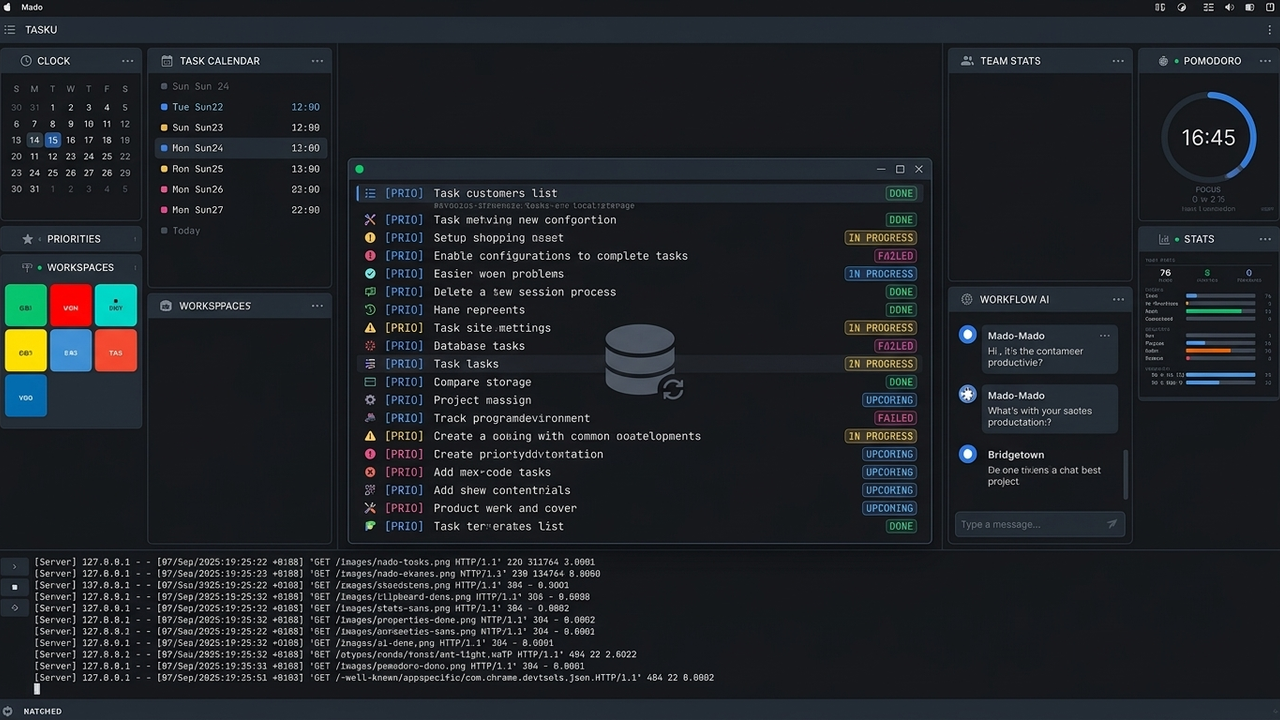
Task management software for modern technical workflows organises individual priorities, tracks deliverables, and records action items without fracturing engineering focus. The most effective setup keeps data local, operates directly inside the terminal, and isolates operational notes from commercial telemetry platforms.
When daily productivity relies on sustained concentration, switching between code editors and memory-heavy browser applications degrades output. In 2026, only 18% of surveyed software developers reported going into an office every day for work, according to The Stack Overflow Blog. Distributed professionals require personal systems that operate consistently regardless of internet availability.
Key takeaways - Web-based trackers introduce context-switching friction, memory overhead, and persistent telemetry. Local-first CLI tools keep data on private disks and work offline. Decoupled sync allows encrypted backup without exposing databases. Open formats prevent vendor lock-in.
Evaluating modern task management architectures
Different task management architectures make different trade-offs. The right choice depends on whether uninterrupted terminal work, portability, collaboration, or centralised reporting matters most.
| Architecture | Offline | Credential exposure | Latency | Operational overhead |
|---|---|---|---|---|
| Local Terminal CLI | Excellent | Local credentials only | Minimal | Low |
| Plain Text | Excellent | None by default | Minimal | Low, with manual organisation |
| Hosted Web App | Variable | Sessions, OAuth, and provider access | Network-dependent | Low locally, higher platform dependency |
Local terminal utilities
Local terminal utilities keep the capture and review loop close to the work itself. A command-line interface can be launched from the same shell as a build, test suite, or deployment script, so recording a task does not require opening a separate application or changing mental context.
Plain text and markdown files
Plain text and Markdown files are durable, searchable, and easy to version. They are also easy to edit with standard tools and can be read years later without depending on a proprietary database. The trade-off is that status transitions, prioritisation, and recurring workflows need more manual structure.
Centralised web platforms
Centralised web platforms provide polished dashboards, sharing, notifications, and reporting. They can be useful for team coordination, but their convenience comes with browser overhead, account dependencies, network requirements, and the need to trust a provider with operational information.
The security risks of cloud-hosted task trackers
Cloud-hosted task trackers place task data on multitenant servers. Strong isolation and access controls can reduce risk, but they do not remove the fact that the service provider stores, processes, and may log the information. A personal task list can contain sensitive details about systems, customers, incidents, planned launches, or internal priorities even when it is not formally classified as source code.
Authentication creates another layer of exposure. Session cookies, OAuth grants, browser extensions, and remembered devices can all become paths to an account if a workstation or browser profile is compromised. A local-first workflow limits the number of systems that need access to the task database and makes the boundary around private notes easier to understand.
Availability and vendor lock-in are practical security concerns as well. An outage can make a critical checklist unavailable, while a product change or account closure can make years of history difficult to export. Keeping an open local format gives the user a usable copy even when a hosted service is unavailable or no longer suitable.
Engineering an individual task management workflow
A reliable individual workflow can be modelled as a short loop:
Capture → Prioritise → Execute → Complete → Review
The loop starts where work happens, uses explicit metadata to make decisions, and records completion without requiring a dashboard. Tasku is a free, open-source terminal task manager designed for this style of workflow and can be installed from RubyGems at nerimasoft.co.uk.
Rapid capture with Tasku CLI
Capture should be fast enough that an idea, follow-up, or action item is recorded before it becomes a distraction. Install Tasku with gem install tasku, then add a task with useful context in one command:
tasku add --name "Review backend deployment logs" --tags "backend" --priority high
Tags and priorities preserve just enough structure for later review without interrupting the original thought. The local workflow also means that capture remains available during a flight, an incident, or any other period without reliable connectivity.
Prioritisation
Prioritisation is a separate step from capture. At the start of a focused work block, narrow the list to the workstream and status that matter:
tasku list --tags "backend" --status pending
Reviewing a deliberately filtered list reduces the temptation to reorganise every task. A small, visible queue makes it easier to choose the next action based on impact and urgency rather than on whichever notification is newest.
Completion
Completion should be explicit and reversible through the tool's history or local data. When task 42 is finished, mark it done directly from the terminal:
tasku done 42
This creates a simple record of progress while keeping the workflow independent of a web dashboard. Periodic review can then identify unfinished work, recurring bottlenecks, and tasks that should be deleted rather than carried indefinitely.
Synchronising terminal workflows without compromising privacy
Local-first does not have to mean single-device. The safest pattern is to keep the working database local and add a deliberately scoped synchronisation layer for encrypted backup and access from another computer. That separates the convenience of synchronisation from the requirement to host every operational note in a browser application.
Tasku Cloud is the companion service for taking a terminal task workflow across devices. Authenticate with tasku cloud login TOKEN, then synchronise when you choose with tasku cloud sync:
tasku cloud login TOKEN
tasku cloud sync
This opt-in approach keeps the terminal as the primary interface and makes synchronisation a conscious operation rather than a background data exhaust stream. Team features are scheduled for 2027; for now, Tasku Cloud is focused on a single-user workflow and personal productivity.
FAQ
Is local task management better than a web app?
It depends on the workflow. Local task management is a strong fit when privacy, offline access, low latency, and uninterrupted terminal work matter most. A web app may be preferable when a team needs shared ownership, browser-based collaboration, or centralised reporting. Many users can combine the two by keeping personal operational notes local and using a separate team system for shared commitments.
How can I sync tasks across computers?
Use a deliberately scoped sync service or an encrypted backup process rather than exposing the local database indiscriminately. With Tasku Cloud, run tasku cloud login TOKEN to authenticate and tasku cloud sync to synchronise when needed. Keeping sync explicit gives you control over when data leaves each device.
Why use a terminal-focused task manager?
A terminal-focused task manager keeps capture, review, and completion next to the tools used to do the work. That reduces context switching, avoids browser memory overhead, and makes the workflow available over a remote shell or an offline connection. It is especially useful for developers and technical professionals who already spend much of the day in a terminal.
Can non-programmers use a terminal task manager?
Yes. The core workflow is a small set of readable commands, and users can start with capture, list, and completion without learning software development. People who prefer visual interfaces may still choose a web app, but a terminal workflow can be practical for anyone comfortable following a short, repeatable set of instructions.
Next steps for your personal system
Start by identifying where task capture currently breaks down. If notes disappear between meetings, code reviews, and focused work, choose a local format and make the next action easy to record. Add only the metadata that helps you decide what to do next, review a narrow pending list, and mark completed work immediately.
Once the local loop is reliable, decide whether you need encrypted synchronisation across computers. This sequence keeps the system understandable: local capture first, intentional sync second, and team collaboration only when the workflow genuinely requires it. The result is task management software that supports modern technical work without making concentration, privacy, or portability dependent on a browser tab.
Share this article