How to Choose a Subscription Manager App to Stop Wasting Money on Unused Services
October 9, 2026
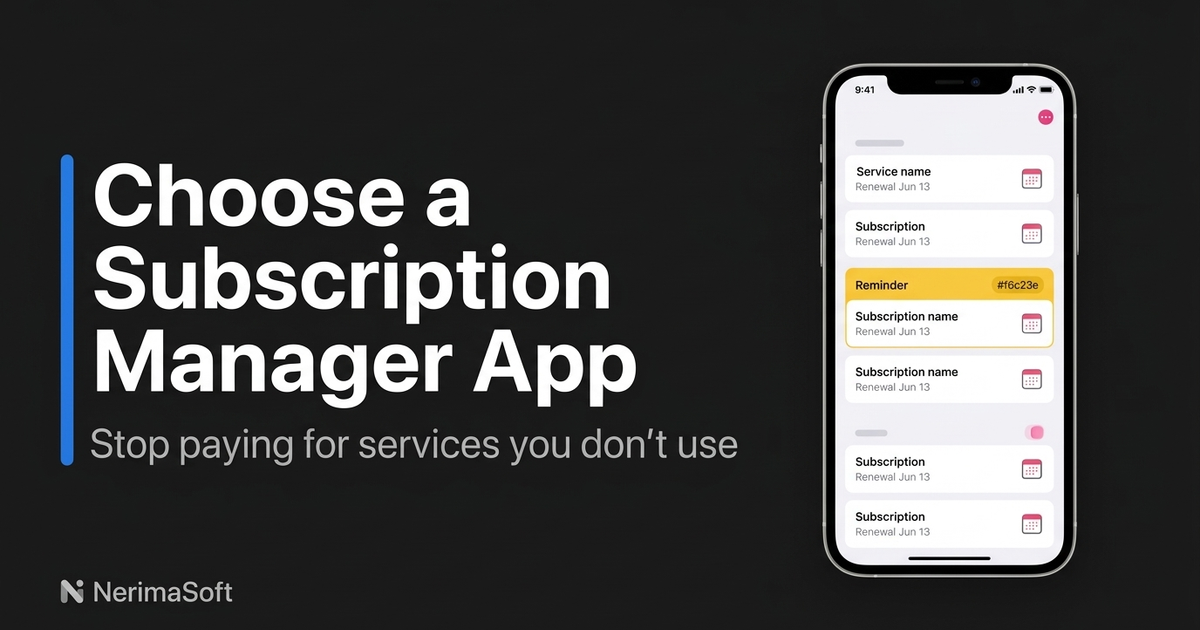
To stop wasting money on unused mobile services and streaming accounts, identify every recurring billing cycle, cancel inactive trials before they convert, and track renewals using an offline-first system. Relying on memory or manual bank statement reviews fails because charges hit on staggered schedules across different payment methods. A dedicated subscription manager app gives you visibility over these billing cycles without forcing you to hand your online banking passwords to third-party data aggregators.
Unchecked subscriptions quietly drain bank accounts through forgotten free trials, duplicate streaming services, and legacy software licences. Most financial apps address this by requesting read-write access to your financial accounts through services like Plaid or Yodlee. That trade-off introduces unnecessary credential exposure and persistent cloud tracking just to monitor a handful of static monthly fees.
Tracking recurring payments requires control over your data rather than another cloud integration. By running regular audits and maintaining a lightweight, privacy-focused tool on your phone, you isolate your credentials while cutting unneeded expenses instantly.
Key Takeaways
- Open Banking and financial aggregator log-ins expose transaction histories to third-party brokers merely to identify predictable recurring costs.
- Native mobile app stores hide third-party direct subscriptions, making consolidated audits essential across web, iOS, and Android purchases.
- Setting explicit renewal alerts three days before a billing date prevents unwanted trial conversions and annual auto-renewals.
- Offline-first tracking eliminates recurring cloud account breaches and prevents marketing engines from profiling your purchasing habits.
Comparing subscription tracking methods
| Tracking method | Bank log-in required | Renewal alerts | Setup effort | Data privacy level |
|---|---|---|---|---|
| Native local app (Sublime) | No | Yes (local notifications) | Low | High (on-device only) |
| Cloud aggregator (Plaid-based) | Yes | Yes (push / email) | Medium | Low (data shared with brokers) |
| Spreadsheet (Excel / Sheets) | No | No | High | Medium (stored on cloud drive) |
| iOS Subscriptions panel | No | Limited | None | High (misses web subscriptions) |
Why direct bank log-ins create security risks for expense tracking
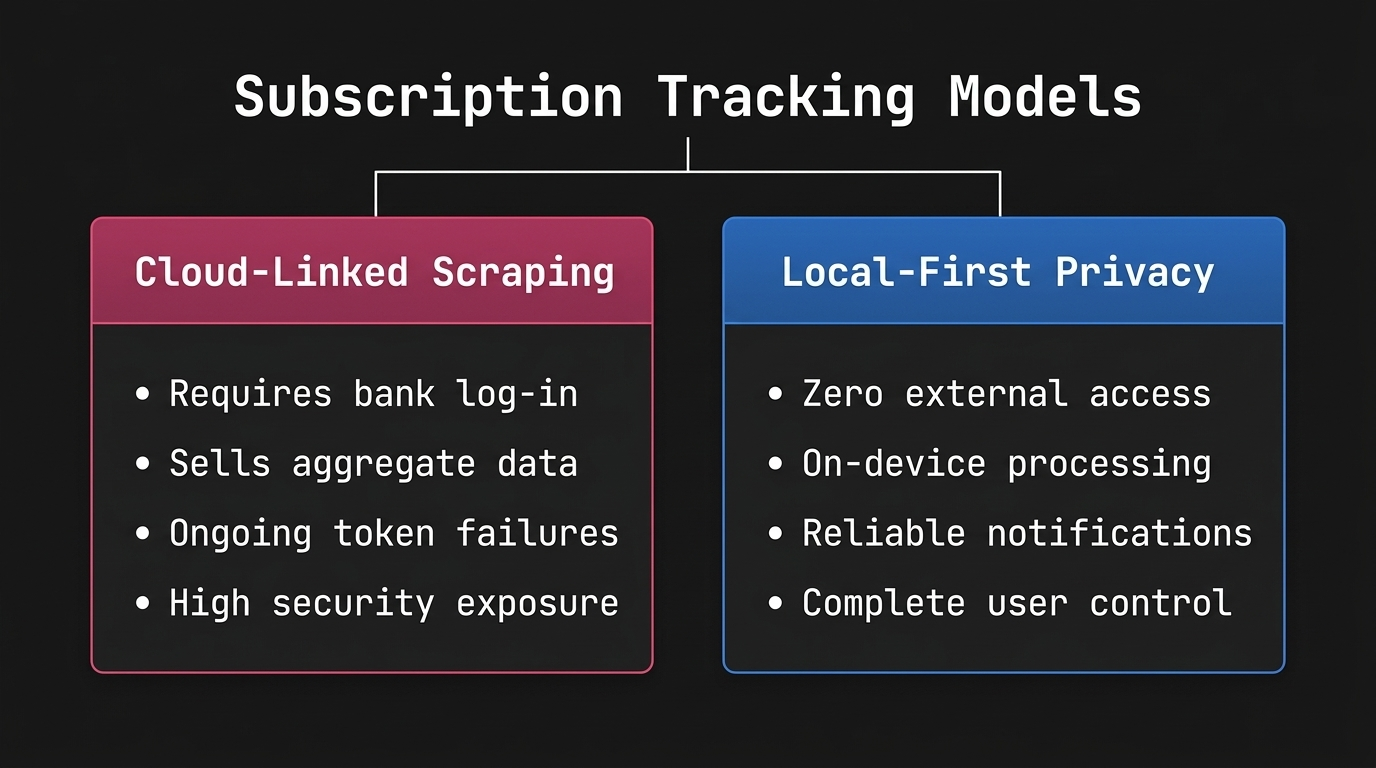
Most commercial budgeting tools market convenience by requesting direct access to your bank accounts. When you enter your credentials into an aggregator interface, you grant that platform persistent access to your historical transactions, account balances, and personal identity records. These companies parse your ledger, extract merchant names, and frequently sell anonymised spending patterns to market intelligence firms.
This architecture introduces an unneeded point of failure. A service designed to alert you to a streaming renewal does not need to know your total checking balance or where you bought groceries on Tuesday. If the aggregator suffers a breach, your financial profile is compromised.
Furthermore, bank scrapers frequently break. Multi-factor authentication prompts fail silently, bank APIs revoke tokens without warning, and transactions get miscategorised. You spend administrative time repairing API connections simply to track static, predictable costs like iCloud storage, GitHub subscriptions, or Netflix tiers. Local tracking removes this failure chain entirely.
How to audit recurring mobile services and streaming accounts
Auditing recurring expenses takes thirty minutes when executed systematically. Begin by gathering purchase records from the three primary vectors where recurring payments live: mobile app stores, direct merchant portals, and email receipts.
First, check your device-level subscriptions. On iOS, open Settings, tap your name, and select Subscriptions to view active Apple ID billings. Repeat this on Google Play if you use Android hardware. These lists contain in-app upgrades, mobile games, and utility tools billed directly through platform operators.
Second, check your email inbox for recurring invoice markers. Search for keywords such as "your receipt", "subscription renewed", "membership confirmation", and "billing notification". Flag recurring costs billed outside app stores, including direct streaming packages, web-hosting accounts, news paywalls, and domain registrations.
Third, review the previous sixty days of bank and credit card statements specifically for micro-transactions. Look for non-descript merchant descriptions that hide active software licences or membership clubs.
When you uncover an unneeded charge during this audit, cancel it immediately in the merchant settings rather than postponing the task. For services you wish to keep, note the exact billing date, the billing interval, the payment card used, and the renewal price.
Selecting the right subscription manager app for privacy and control
Not every tool handles recurring payments with the same design philosophy. The market splits between automated services that ingest bank feeds and standalone utilities that run on device storage.
Manual and receipt-driven tracking with Sublime
Sublime takes an offline-first stance on iOS. Built natively for iPhone, it functions as a lightweight subscription manager app that tracks renewal schedules without asking for bank account log-ins, credit card numbers, or cloud account setups.
You enter your active subscriptions, billing frequencies, and cycle dates manually or from your receipts. Sublime handles cycle calculations on-device, categorises costs across custom groups, and delivers native system notifications before payment dates arrive. Your financial records stay on your physical device rather than sitting on a remote server. The software focuses on interface speed, clarity, and zero third-party telemetry, fitting workflows where data isolation is non-negotiable.
Platform-locked app store menus
Apple and Google provide built-in management panels within mobile operating systems. These menus allow one-tap cancellations and clear billing cycle visibility for purchases processed through platform billing APIs.
Their fundamental flaw is scope. A platform menu cannot track a streaming service paid directly on the provider's website to avoid store fees, nor can it track productivity tools, web servers, or gym memberships. Relying solely on app store settings leaves out-of-store subscriptions completely unmonitored.
A step-by-step audit workflow to cut unused recurring expenses
Follow this structured workflow once every quarter to keep your overhead minimal.
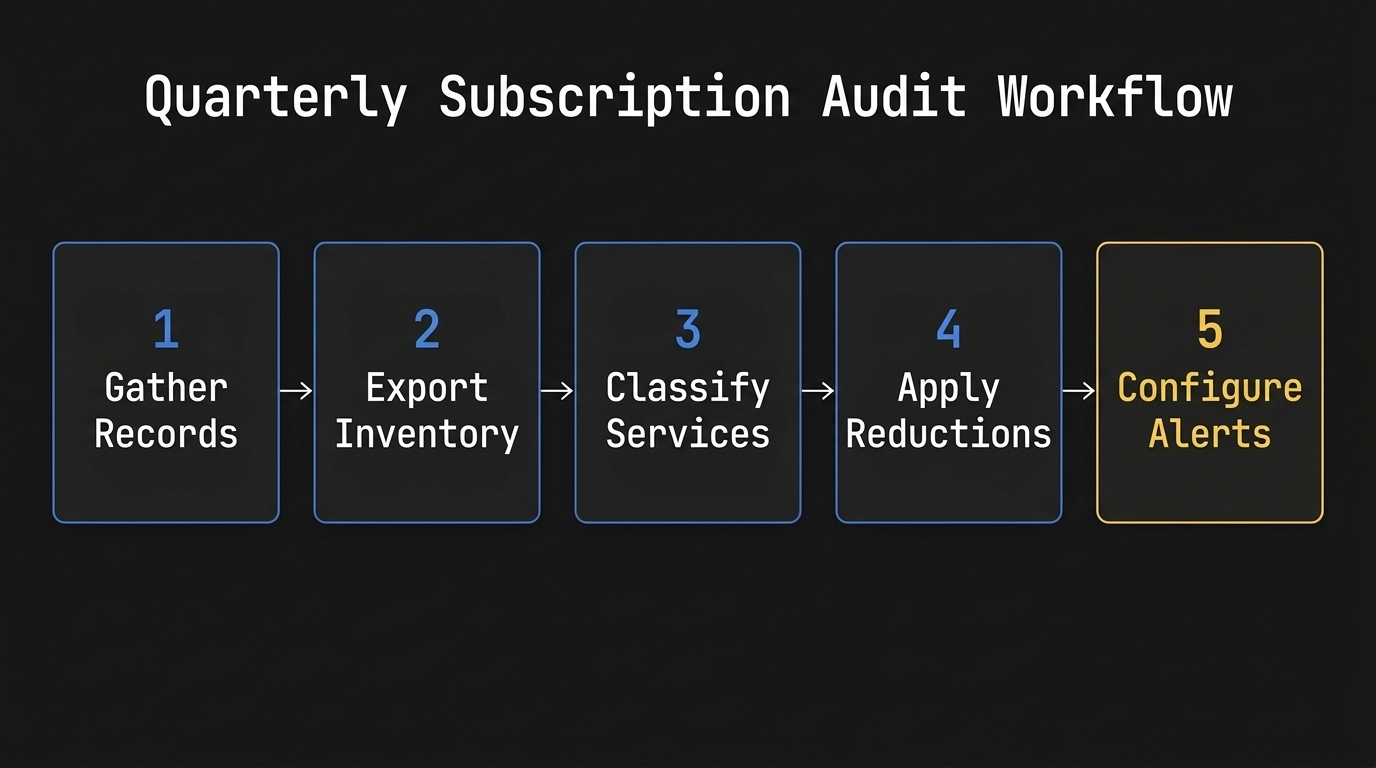
- Collate every recurring invoice: Pull the latest billing statements for every active credit card, debit card, and digital payment account. Search your email archive for digital receipts from software vendors and media platforms.
- Input details into your subscription tracker: Enter each active plan into your subscription manager app. Document the precise renewal amount, billing currency, billing frequency, and notification preferences.
- Classify services by utility: Sort each entry into essential utilities, active entertainment, and shelfware. Treat any service unopened in the preceding thirty days as shelfware.
- Terminate unused contracts: Navigate directly to the cancellation screen for each identified shelfware product. Complete the termination process until you receive a formal cancellation confirmation email.
- Set predictive notifications: Ensure your tracking app triggers a reminder at least three days before annual renewals. Three days gives you sufficient time to review price adjustments and cancel before funds leave your account.
Frequently asked questions
Can a subscription tracker work without connecting to my bank?
Yes, a subscription manager app can track cycles, calculate spending, and deliver renewal alerts using on-device data entry. By recording charges manually from receipts or statements, you keep your banking credentials secure while retaining full visibility over recurring expenses.
Why do cancelled subscriptions sometimes continue to bill my card?
Merchants often process billing files days in advance of the listed renewal date, meaning late cancellations miss the cutoff window. Additionally, deleting an application from your mobile screen does not terminate the underlying billing agreement; you must explicitly cancel the service inside account settings.
What is the advantage of using a dedicated app over a basic spreadsheet?
A dedicated app fires automated device notifications before payments process, whereas a spreadsheet requires manual calendar integration. Spreadsheets also lack native mobile input interfaces, making updates slower when auditing costs on the move.
How often should I audit my recurring accounts?
Run an audit once every three months, or immediately following promotional trial sign-ups. Quarterly reviews catch annual renewals before they trigger and stop forgotten monthly trials from quietly accumulating charges over extended periods.
Does Apple Subscriptions track everything billed to my credit card?
No, the iOS Subscriptions interface only tracks items purchased via the App Store and Apple In-App Purchase APIs. Subscriptions configured directly via merchant websites, enterprise software, and third-party utilities will not show up in your Apple ID settings.
Taking control of recurring costs
Letting subscriptions run unmonitored results in persistent, preventable financial waste through shelfware and unnoticed price hikes. Reclaiming control does not require trading your financial privacy to automated data brokers or cloud aggregators.
Run a dedicated audit across your statements, purge unused accounts at the source, and log remaining commitments into a secure, offline-first subscription manager app. Keeping an accurate, local record ensures you never pay for a forgotten service again.
Share this article