5 CLI SEO Audit Tool Options for Developer Workflows
October 26, 2026
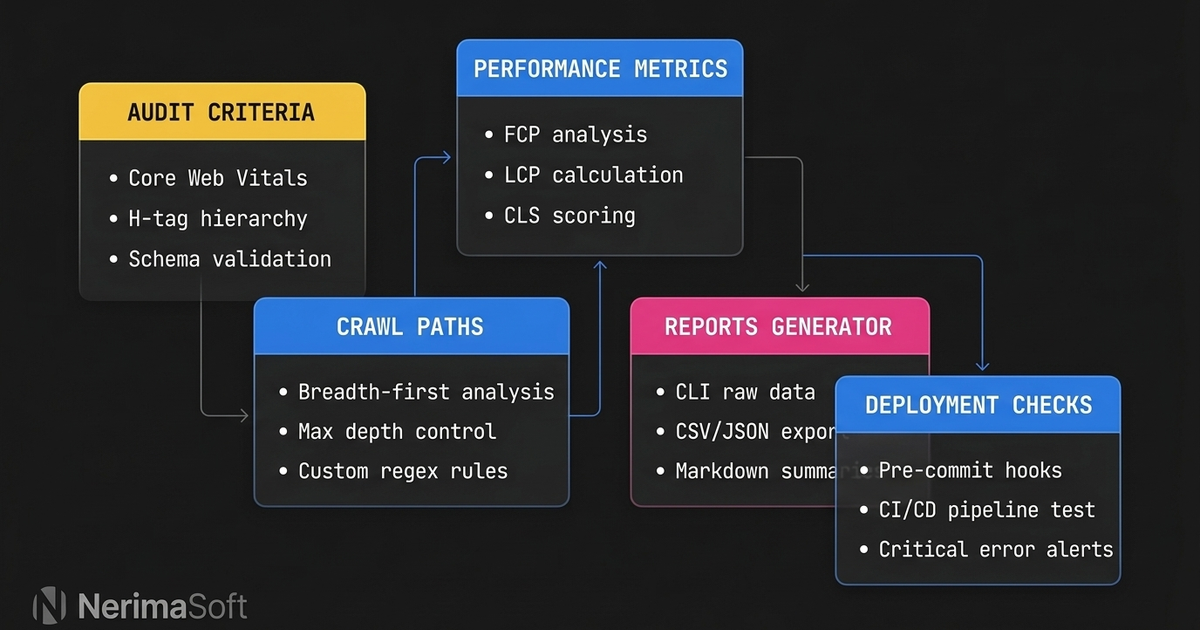
A CLI SEO audit tool allows developers and technical marketers to test search engine readiness, performance, and metadata directly from the terminal or build pipeline without relying on external SaaS dashboards. By shifting audits into the command line, teams identify broken links, missing meta descriptions, accessibility violations, and structured data errors before deploying to production.
Running audits locally keeps client URLs private, eliminates recurring monthly subscription fees for routine checks, and cuts the latency of sending rendered code across the network. Many cloud platforms require granting access to private staging environments, creating unnecessary credential exposure and persistent cloud tracking. Local terminal utilities, by contrast, run where your code already lives.
Whether you inspect pre-rendered static templates in your local repository or crawl dynamic single-page applications via headless browsers, terminal utilities provide fast, scriptable feedback.
Key Takeaways
- Headless browsers and specialised terminal utilities catch rendering defects, invalid metadata, and crawl anomalies without sending private staging URLs to third-party services.
- Running checks in local environments prevents regressions before pull requests merge into production branches.
- Source-level linters inspect code templates directly, while crawl-based terminal tools analyse rendered HTML output across live or preview servers.
- Combining metadata checks with accessibility auditing gives a complete picture of crawlability and user experience.
Comparing the Top CLI Tools
| Tool | Primary focus | Execution model | Credential exposure | Setup effort |
|---|---|---|---|---|
| Nerima | Source template audit and remediation | Static source analysis (local) | None (runs offline / local LLM) | Low (gem install) |
| Lighthouse CLI | Core Web Vitals and page-level audits | Headless browser execution | None (local execution) | Low (npm install -g) |
| Unlighthouse | Whole-site scanning and routing analysis | Automated multi-page crawl | None (local execution) | Low (npx runner) |
| pa11y-ci | Automated accessibility auditing | HTML / DOM evaluation | None (local execution) | Medium (config file) |
| Screaming Frog CLI | Deep site crawling and link mapping | Local Java runtime engine | Low (runs locally) | Medium (licence setup) |
What Makes a Practical CLI SEO Audit Tool?
A dependable CLI SEO audit tool must fit into existing terminal workflows while giving deterministic, reproducible results. Relying entirely on cloud-based web crawlers trades convenience for privacy and coverage, especially when auditing private staging branches or local microfrontends.
Terminal utilities fall into two camps: static source analysers and dynamic runtime crawlers. Static source analysers inspect raw templates before the build step runs. Dynamic crawlers evaluate the serialized DOM after JavaScript executes, catching rendering issues that occur in single-page applications.
In headless mode, Chrome provides the --dump-dom command-line flag to print the serialized DOM of the target page to stdout, as documented by Chrome for Developers. This output lets terminal scripts inspect the rendered state of an application without requiring an external proxy service.
Choosing the right approach depends on whether you need to fix source code templates or audit the fully rendered production bundle.
5 CLI SEO Audit Tool Options
1. Nerima
Nerima is our own command-line tool, built specifically for developers who prefer to fix SEO issues in their source templates before building static assets. Because we designed it to operate directly on raw templates, it does not require a running web server to find missing metadata or structural flaws.
Installation is handled via RubyGems:
gem install nerimaRunning nerima check scans configured source templates for title tags, meta descriptions, heading structures, image alt attributes, canonical tags, Open Graph metadata, and structured data. Supported template formats include HTML, ERB, Haml, Slim, Liquid, Nunjucks, Jinja2, Twig, and Blade.
When issues occur, nerima fix displays proposed changes as an interactive diff for review before applying them to the file. The tool also supports exporting audit results as HTML or PDF reports. For automated remediation advice, AI suggestions run through your configured provider, with local execution supported using Ollama.
2. Lighthouse CLI
Google Lighthouse remains the standard for performance, accessibility, and baseline technical SEO audits on individual pages. The command-line version runs headless Chromium to measure page load metrics, Core Web Vitals, and search metadata.
Running Google Lighthouse via its command-line interface with the --output=json flag generates a JSON dump of the audit run, according to the official documentation on npm. This structured JSON output can be piped into command-line parsers like jq to enforce deployment thresholds.
Install and run the audit with:
npm install -g lighthouse
lighthouse https://localhost:3000 --output=json --output-path=./audit-report.json
The standard Lighthouse CLI audits only one target URL per command execution. It excels at measuring Core Web Vitals on critical landing pages, though mapping multi-page site architectures requires external orchestration scripts.
3. Unlighthouse
Auditing an entire site with the standard Lighthouse engine often requires custom bash scripts. Unlighthouse resolves this limitation by wrapping the Lighthouse engine in an automated crawler designed for site-wide scanning.
Unlighthouse automatically discovers and audits all pages of a website, in contrast to the standard Lighthouse CLI which audits 1 page per run. It inspects internal links, samples representative site paths, and produces an aggregated dashboard alongside granular, per-route performance scores.
You can trigger a site-wide crawl without persistent package installation:
npx unlighthouse --site https://staging.example.localUnlighthouse operates locally and stores reports on your machine, making it a strong choice for scanning local development builds and staging previews before release.
4. pa11y-ci
Search engines reward clear content structure and accessible layouts. If a crawler encounters broken semantic hierarchies or missing alternative text, both search indexation and user accessibility suffer. Across the top 1,000,000 home pages evaluated in the 2026 WebAIM Million report, WebAIM detected 56,114,377 distinct accessibility errors.
The pa11y-ci command-line utility tests entire lists of URLs against accessibility standards such as WCAG 2.1. The pa11y-ci command-line tool features a --threshold option that sets the permitted number of errors, warnings, or notices before failing with exit code 2.
Configure an execution script with a .pa11yci JSON file and execute the suite:
npx pa11y-ci --threshold 0Using this threshold check stops invalid heading orders or missing image labels from slipping past code reviews.
5. Screaming Frog SEO Spider (CLI Mode)
For comprehensive technical crawls spanning thousands of pages, Screaming Frog SEO Spider provides an established desktop crawling engine that also runs directly from the terminal in headless mode. It maps redirect chains, evaluates duplicate content, detects orphan pages, and verifies canonical configurations.
The Screaming Frog SEO Spider is free to download and use for crawling up to 500 URLs at a time. Teams with paid licences can execute unlimited headless crawls on local machines or dedicated server instances.
On macOS or Linux, initiate a terminal crawl using:
screamingfrogseospider --crawl https://staging.example.local --headless --save-crawl --output-folder ./crawls/Because Screaming Frog runs on a local Java runtime, it requires more system memory than lightweight JavaScript or Ruby binaries. However, its reporting depth for complex redirect structures and internal link topologies remains unmatched.
How to Integrate a CLI SEO Audit Tool Into Local Workflows
Adding a CLI audit to your workflow prevents deployment mistakes from reaching production indexes. Instead of manually inspecting rendered pages in your browser, configure your build tools to test code changes automatically.
Running Pre-Commit Validation
Prevent invalid metadata from entering your Git repository by setting up a local pre-commit hook. If you use tools like Husky, add an audit command directly to your repository hooks.
For template checks, run a linter against modified files:
nerima check --path src/templates/If the audit discovers unclosed tags or missing meta elements, the hook halts the commit process, prompting the developer to apply corrections immediately.
Inspecting Asset Weight and Font Strategies
Search performance correlates closely with rendering speed, and font loading is a frequent culprit behind layout shifts. The 2025 Web Almanac by HTTP Archive revealed that 39.4% of desktop websites and 41.3% of mobile websites used at least one variable font, as reported by CSS-Tricks.
Using terminal checks to monitor CSS and web font imports ensures that new typography selections do not disrupt Cumulative Layout Shift (CLS) scores before assets are bundled.
Testing early in the build cycle catches structural issues while context is fresh, avoiding emergency fixes after deployment.
Frequently Asked Questions
Can I run a CLI SEO audit tool against private staging URLs?
Yes. Terminal-based tools run directly within your local network or VPN. Because the requests originate from your machine, you can audit password-protected staging domains without sharing credentials or exposing network access to third-party SaaS crawlers.
How does template-level auditing differ from dynamic crawling?
Template-level auditing inspects raw template files (such as Liquid, Blade, or ERB) directly on the filesystem for missing tags and structural errors. Dynamic crawlers request rendered HTML over HTTP and use a headless browser to execute JavaScript, evaluating the page exactly as a search engine bot renders it.
What exit code indicates an audit failure in automated pipelines?
Most CLI audit utilities return an exit code of 0 when all checks pass, and an exit code of 1 or 2 when issues exceed defined thresholds. For instance, setting strict failure thresholds ensures scripts halt immediately upon encountering high-priority SEO or accessibility errors.
Do CLI audit tools replace cloud-based monitoring services?
No. CLI tools validate code state, metadata rules, and rendering speed prior to launch. Cloud-based monitoring services remain valuable for observing live search performance, log files, external backlink acquisition, and indexation status over time.
Next Steps for Your Audit Workflow
Audit your current development process and pick one command-line check to run on your local environment this week. If you work primarily with backend template engines, start with template linting to catch metadata omissions at the source. If you maintain single-page applications, run a headless browser check against your local development server to inspect the serialized DOM.
Leaving SEO audits to post-launch manual reviews risks search engine demotions, broken social preview cards, and missed crawl budgets. Terminal checks provide clear, actionable feedback directly where you build.
Share this article